
Dialpad - Managing Spam and Blocked Contacts
Creation date: 2/23/2026 7:20 AM
Updated: 5/13/2026 5:05 PM
Un-mark as Spam
If an interaction appears as spam but isn't, Dialpad makes it easy to unmark the interaction to ensure it isn’t flagged again.
To unmark an interaction as spam, go to your Dialpad app:
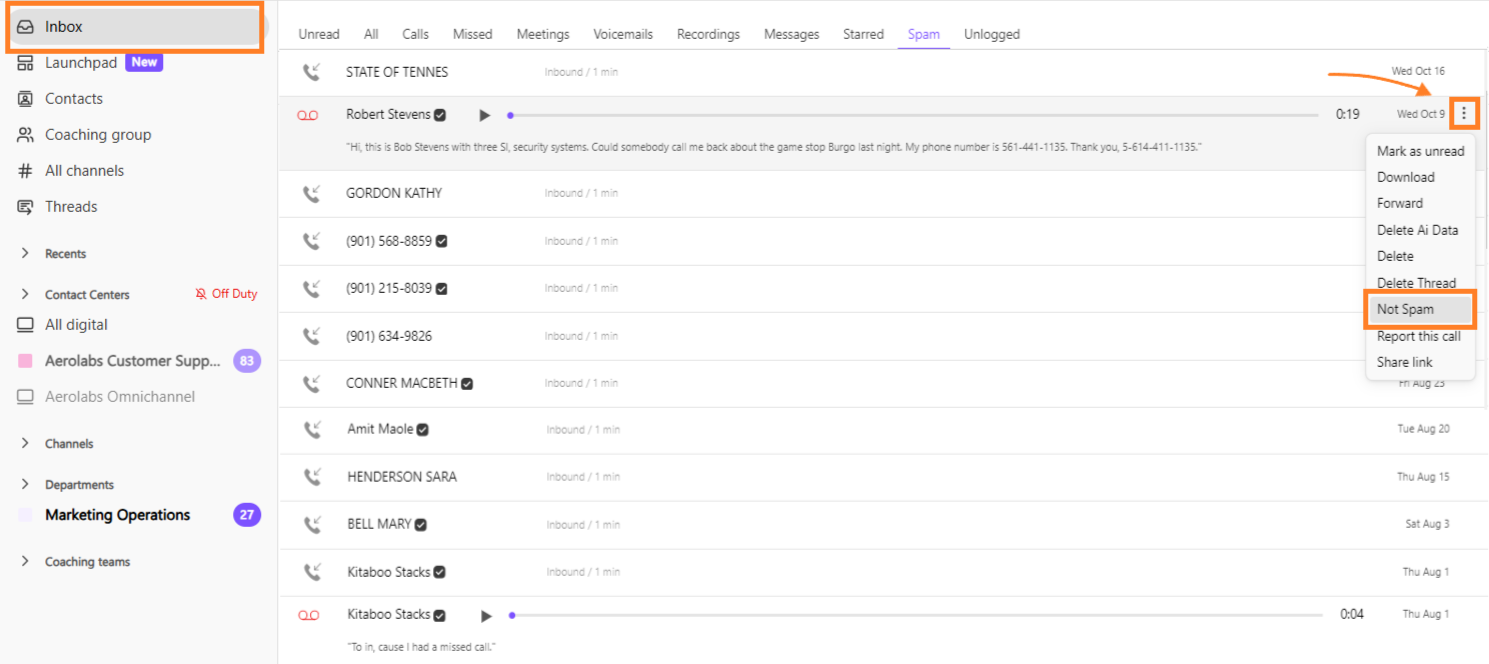
Navigate to your Inbox and select Spam
Hover over the message, then select Options > Not Spam
Manage blocked contacts & numbers
To manage blocked contacts and numbers, head to your Dialpad app:
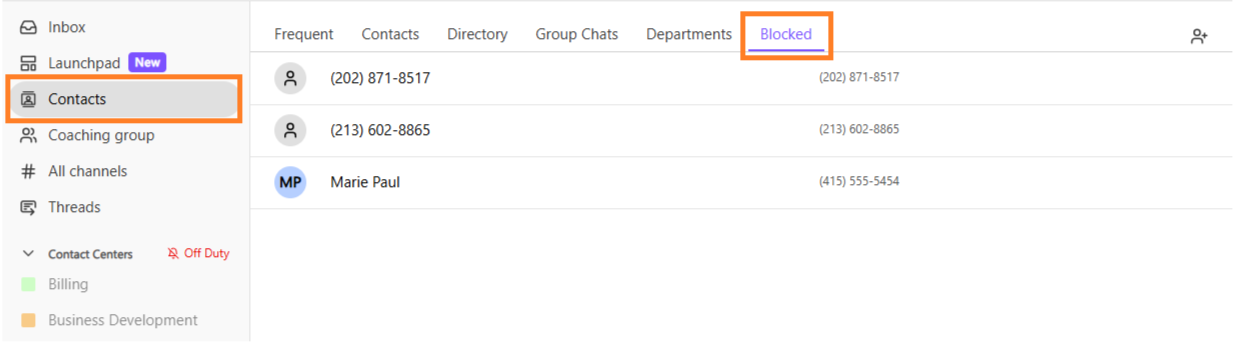
Navigate to Contacts
Select Blocked
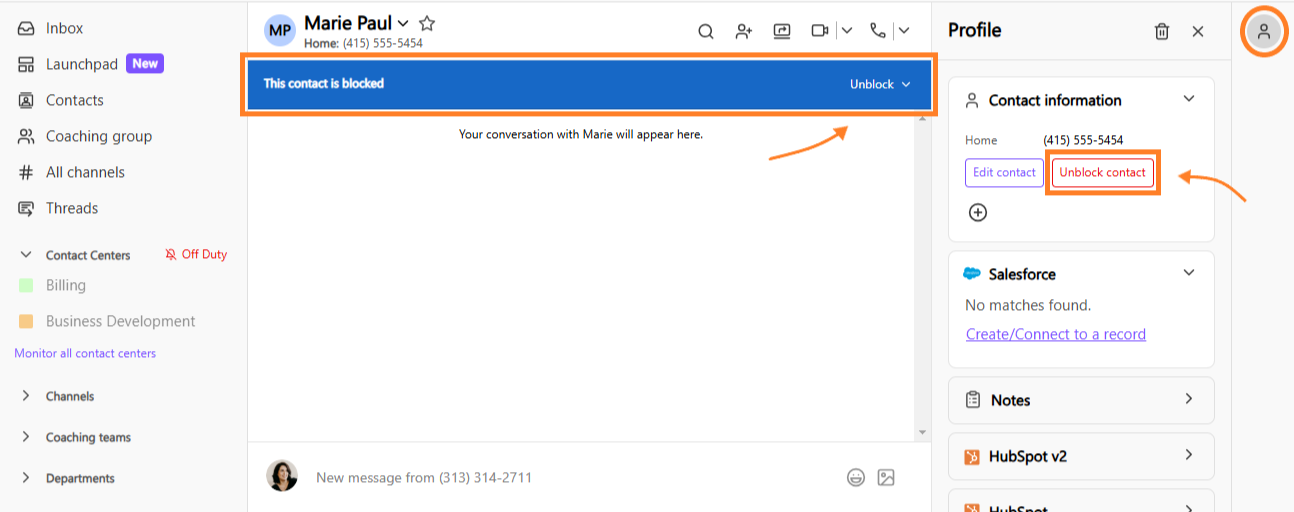
Select the name of the blocked contact/number
Select Unblock from the banner at the top of the conversation thread, or select Unblock contact from the contact profile on the sidebar
Note
Blocking a contact will block voice calls, SMS/MMS messages, and faxes.
Visit this Help Center article to learn more about blocking a number.